
Descript Review 2026 — Edit Your Video by Editing Text
Honest Descript review for 2026: AI video editing, Overdub voice cloning, transcription accuracy, pricing, and who it's built for.
Who is this for?
For podcasters and video creators who want to edit audio and video by editing a text transcript. Descript makes cutting, rearranging, and cleaning up recordings dramatically faster — especially for content with a lot of spoken word.
What Is Descript, and Should You Use It?
Descript is a video and audio editor where you edit by changing the text transcript rather than scrubbing through a timeline. Delete a word from the transcript and that section disappears from the video. Move a paragraph and the footage rearranges. For podcast episodes, interview recordings, and talking-head videos, this approach is significantly faster than traditional timeline editing.
In 2026, Descript has added AI features on top of the text-based editing foundation: Overdub voice cloning (replace or fill in spoken words using an AI voice), filler word removal, eye contact correction, and screen recording. The result is a production tool that covers most of what a solo creator or small podcast team needs without requiring video editing experience.
The free plan includes one hour of transcription per month and 5GB of storage — enough to understand whether the text-based editing workflow fits your process. The Creator plan at $12 per month billed annually is where the tool becomes fully useful.
Who Should Use Descript
- ✅ Run a podcast or produce interview-style videos and spend hours cutting filler words and rearranging segments
- ✅ Want to edit video without learning traditional timeline editing software
- ✅ Record screen tutorials and want transcription, captions, and editing in one place
- ❌ Produce cinematic or heavily produced video content — Descript is optimized for talking-head and conversational content, not complex production
- ❌ Only need voice generation without editing — ElevenLabs is better suited for pure text-to-speech workflows
Descript Key Features
Text-Based Video Editing
Descript transcribes your recording and displays the transcript alongside the video timeline. You edit the transcript like a document — delete a sentence, and that segment is removed from the video. Cut and paste paragraphs to rearrange segments without touching the timeline. This makes creating a clean, organized video from a messy first recording far faster than traditional editing.
Filler Word Removal
Descript detects um, uh, like, and other filler words across the entire transcript with one scan. You review the list and delete them all in one action. For podcast content or talking-head videos recorded without a teleprompter, this alone can save an hour of manual editing per episode.
Overdub — AI Voice Cloning
Overdub lets you clone your own voice and use it to fix spoken errors without re-recording. If you mispronounced a word or stumbled through a sentence, highlight the transcript text, type the correct version, and Descript regenerates that section of audio in your voice. The replacement blends into the surrounding audio. This requires voice training on the Creator plan and above.
Eye Contact Correction
AI eye contact correction subtly adjusts your gaze to appear as if you are looking directly into the camera, even when you are reading from a script on a different screen. The effect works well for medium-distance shots and is convincing enough for YouTube and course content.
Screen Recording and Captions
Descript includes a built-in screen recorder with automatic transcription and caption generation. Captions are accurate and can be styled and exported directly. For tutorial creators who record screen walkthroughs with voice narration, this covers the recording and post-production workflow in one tool.
Descript Pricing in 2026
| Plan | Monthly price | Annual price/mo | Transcription | Overdub | Resolution |
|---|---|---|---|---|---|
| Free | $0 | $0 | 1 hour/month | Not included | 720p export |
| Creator | $24 | $12 | 10 hours/month | Included | 4K export |
| Pro | $40 | $24 | Unlimited | Included | 4K + watermark-free |
The Creator plan at $12 per month billed annually is the primary entry point. Ten hours of transcription per month covers weekly podcast production or two to three video projects per week. Overdub is included, which covers most of the AI voice correction use case.
The Pro plan at $24 per month billed annually makes sense for teams or high-volume solo creators who produce daily content. Unlimited transcription removes any concern about monthly limits.
Pros and Cons
- ✓ Text-based editing dramatically speeds up podcast and interview video production
- ✓ Filler word removal in one action saves significant manual editing time
- ✓ Overdub voice cloning lets you fix spoken errors without re-recording
- ✓ Eye contact correction works well for talking-head content
- ✓ All-in-one: transcription, editing, captions, and screen recording in one app
- ✗ Not designed for cinematic or complex multi-camera productions
- ✗ Free plan's one-hour monthly transcription limit runs out quickly
- ✗ Overdub requires voice training and is only available on Creator plan and above
- ✗ Large project files can slow down performance on older hardware
Who Should NOT Use Descript
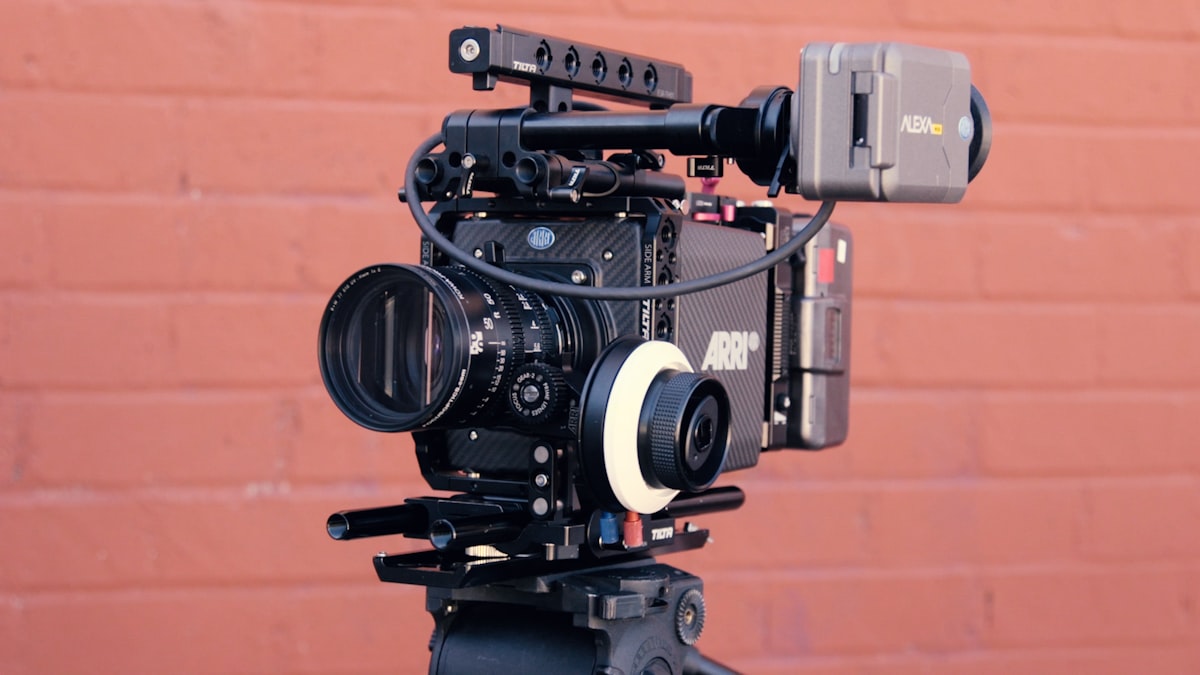
You produce highly produced video content. Descript is optimized for conversational content where most of the editing is cutting and rearranging spoken word. If your workflow involves significant B-roll, color grading, motion graphics, or multi-camera switching, a traditional video editor like DaVinci Resolve or Adobe Premiere will give you more control.
You only need AI voice generation. Descript’s Overdub is for fixing errors in existing recordings, not generating new audio from scratch. For text-to-speech production and voice cloning for new content, ElevenLabs is purpose-built for that workflow with higher voice quality.
You record in languages other than English. Descript’s transcription accuracy is highest for English. Non-English transcription is available but less reliable, and many AI features including filler word removal are English-optimized.
Our Verdict

Descript earns its 4.2/5 rating as the most accessible editing tool for creators whose content is primarily spoken word. The text-based editing approach is genuinely different from every other video editor on the market — for podcasters and interview-style video creators, it removes most of the manual work from post-production.
The free plan gives you enough to understand whether the workflow fits. If you produce a podcast or talking-head video weekly, the Creator plan at $12 per month billed annually is one of the highest-value subscriptions in the content creation toolkit.
Best for: Podcasters, interview video creators, course producers, and anyone who edits content that is primarily spoken word and wants a faster way to clean up recordings.
Not for: Cinematic production, complex multi-camera editing, or pure AI voice generation without video editing needs.
Try Descript free → — 1 hour transcription/month, no credit card required.
Frequently Asked Questions
Q: Is Descript free to use? A: Yes. The free plan includes one hour of transcription per month, 5GB of storage, and 720p video export. It is enough to test the text-based editing workflow. Overdub voice cloning and 4K export require the Creator plan at $12 per month billed annually.
Q: How accurate is Descript’s transcription? A: Descript’s transcription accuracy for clear English audio is around 95–98%, which is sufficient for editing purposes. Accuracy drops with heavy accents, technical jargon, or poor audio quality. You can manually correct transcription errors before editing.
Q: How does Descript compare to Adobe Premiere or Final Cut? A: Descript and traditional video editors serve different use cases. Descript is faster for cutting and cleaning spoken word content. Adobe Premiere and Final Cut give you full control over multi-layer timelines, color grading, and complex transitions. Many creators use both: Descript for initial rough cuts and filler word removal, then export to a traditional editor for final production polish.
Q: Can Descript generate new audio with Overdub, or only correct existing recordings? A: Overdub is designed to replace or fill in sections of existing recordings using your cloned voice. It is not a general text-to-speech tool for generating new audio from scratch. For generating new voiceover content, ElevenLabs is purpose-built for that workflow.
Compare all AI video tools

Best AI Video Tools in 2026 — Tested for Beginners
Related review

ElevenLabs Review 2026 — AI Voice Generation
Full podcast toolkit
Best AI Tools for Podcast Creators in 2026